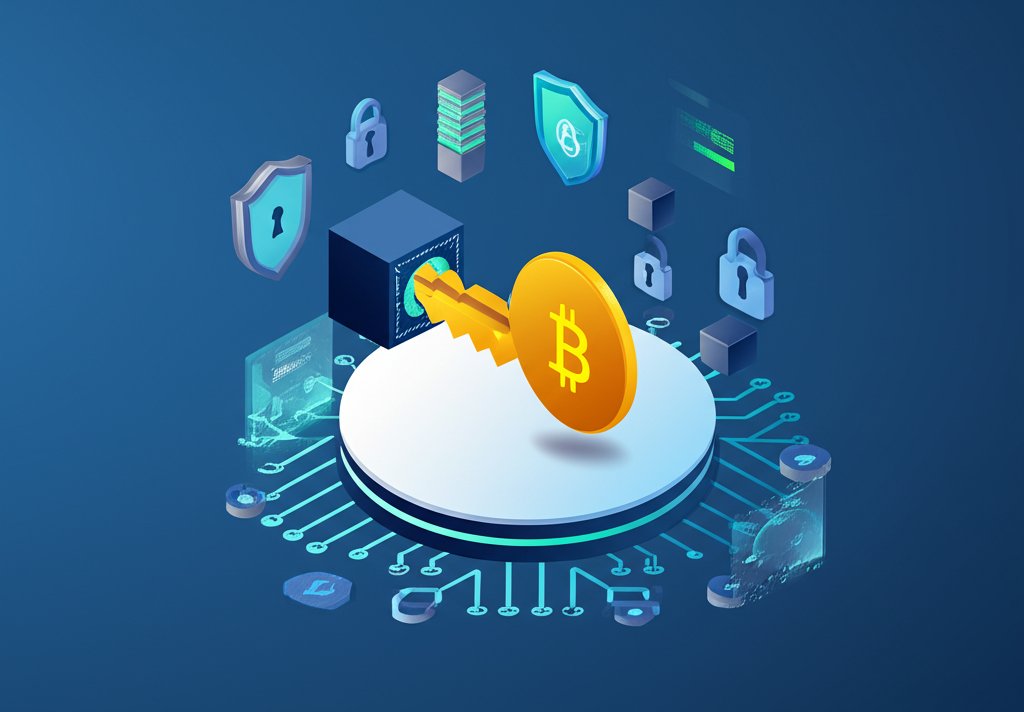
You don't actually "store" Bitcoin like you might store cash in a bank vault or files on a hard drive. Instead, how bitcoins are stored fundamentally revolves around the concept of cryptographic keys. Your "wallet" isn't a container for digital coins; it's a tool that manages these keys, specifically your private key. This private key is the secret code that proves you own a specific amount of Bitcoin on the public blockchain and allows you to authorize transactions. Without it, your Bitcoin is inaccessible, even if you know it exists.
This article will pull back the curtain on the ingenious system behind Bitcoin storage, showing you how your private key acts as the ultimate gatekeeper, and guiding you through the practicalities of safeguarding your digital wealth.
At a Glance: Key Takeaways on Bitcoin Storage
- It's All About Keys: Bitcoin isn't stored in your wallet; your wallet holds the cryptographic private keys that control your Bitcoin on the blockchain.
- Non-Custodial is Key: You want to control your private keys yourself (non-custodial storage) rather than relying on a third party (custodial).
- Hot vs. Cold: Wallets are categorized by their internet connection—"hot" (online, convenient, less secure) or "cold" (offline, highly secure).
- Hardware Wallets are Gold Standard: For significant amounts, dedicated offline hardware devices offer the best balance of security and usability.
- Backup is Non-Negotiable: Your recovery phrase (seed phrase) is your master backup; secure its physical storage above all else.
- Layered Security: Combine strong passwords, Two-Factor Authentication (2FA), and smart asset allocation for robust protection.
The Fundamental Truth: Bitcoin Lives on the Blockchain, Not in Your Wallet
Imagine Bitcoin as entries in a gigantic, public ledger, known as the blockchain. When you "own" Bitcoin, what you actually possess is the right to move certain entries on this ledger. This right is granted by a unique pair of cryptographic keys: a public key and a private key.
- Your Public Key (Like a Bank Account Number): Derived from your private key, this generates your Bitcoin address. You can share this freely; it's where others send Bitcoin to you.
- Your Private Key (Like Your PIN or Signature): This is the secret code that authorizes transactions from your public address. Whoever controls this private key controls the Bitcoin associated with it. This is why keeping your private key secure and secret is paramount.
Your "wallet" is simply software or hardware that stores your private keys and interacts with the Bitcoin blockchain on your behalf. It allows you to view your balance (by checking the public ledger for entries tied to your public keys) and sign transactions (using your private key) to send Bitcoin to another address. Understanding this distinction—keys, not coins, are what you store—is the first critical step in securing your digital assets.
Choosing Your Digital Vault: Understanding Hot vs. Cold Wallets
The primary distinction in how bitcoins are stored comes down to whether your private keys are connected to the internet. This leads to the fundamental classification of "hot" and "cold" wallets. Each offers a different balance of convenience and security.
Hot Wallets: Convenience with Caution
Hot wallets are any wallets that are connected to the internet, even periodically. They are designed for ease of access and quick transactions, making them suitable for small amounts of Bitcoin you might use for everyday spending or active trading.
- How They Work: Your private keys are stored on a device or service that is online. When you want to send Bitcoin, the wallet software uses these keys to sign the transaction, which is then broadcast to the network.
- Pros: Highly convenient, easy to set up and use, quick for transactions.
- Cons: Because they are online, they are inherently more vulnerable to cyber threats like hacking, malware, and phishing attacks. If your device is compromised or the service provider is breached, your funds are at risk.
Examples of Hot Wallets:
- Desktop Wallets: Software installed on your computer (e.g., Electrum, Bitcoin Core). Your private keys are stored on your hard drive. While offline when your computer isn't connected, they are "hot" once you go online and typically store keys in software.
- Mobile Wallets: Apps on your smartphone (e.g., BlueWallet, Samourai Wallet). These offer portability for on-the-go transactions. Your private keys reside on your mobile device.
- Web Wallets / Exchange Wallets: Wallets provided by online services (e.g., Coinbase, Binance, Blockchain.com). Here, the service provider often holds your private keys for you (custodial storage). This is the most convenient but also the riskiest, as you relinquish direct control. You're trusting the exchange's security measures entirely.
Cold Wallets: Your Fortress Against Online Threats
Cold wallets are designed to keep your private keys entirely offline, isolating them from the internet and potential cyber threats. They represent the highest standard of security for storing Bitcoin and are recommended for significant amounts or long-term holdings.
- How They Work: Private keys are generated and stored on an offline device or medium. When you need to make a transaction, you typically prepare it on an online device, then transfer it to your cold wallet for signing. The signed transaction is then transferred back to the online device to be broadcast. The private key never touches the internet.
- Pros: Maximum security against online attacks, ideal for long-term storage ("hodling").
- Cons: Less convenient for frequent transactions, can involve a more complex setup and recovery process, often incur an upfront cost (for hardware wallets).
Examples of Cold Wallets:
- Hardware Wallets: Physical electronic devices specifically built to store private keys offline (e.g., Ledger Nano S/X, Trezor Model T). They are the most popular and balanced cold storage solution.
- Paper Wallets: A physical printout or handwritten record of your public and private keys. This is extremely secure if managed correctly, but carries unique risks related to physical damage or loss.
For a broader understanding of the different types of digital wallets and their general characteristics, you can refer to our comprehensive guide on Where are bitcoins stored? This article will dive deeper into the specifics of how the keys within these wallets ensure your Bitcoin's safety.
A Deep Dive into Wallet Types and Their Key Management
Understanding how each wallet type handles your private key is crucial for making informed security decisions.
Software Wallets (Hot) – Balancing Accessibility with Risk
Software wallets, whether desktop or mobile, live on your internet-connected devices. They offer a balance of accessibility and control, but their online nature inherently introduces risk.
- Desktop Wallets:
- How Private Keys are Stored: Encrypted files (like
wallet.datfor Bitcoin Core) on your computer's hard drive. - Security Implications: Susceptible to malware, viruses, and phishing. If your computer is compromised, your keys are vulnerable. Requires diligence in keeping your operating system and wallet software updated.
- Best Use: For moderate amounts of Bitcoin, if you maintain excellent cybersecurity practices on your dedicated machine.
- Mobile Wallets:
- How Private Keys are Stored: Encrypted within the app on your smartphone's secure enclave (if available) or internal storage.
- Security Implications: Vulnerable if your phone is lost, stolen, or compromised by malicious apps. Requires strong phone security (passcode, biometric unlock) and caution with app permissions.
- Best Use: For small, spending amounts of Bitcoin, offering convenient "cash in your pocket" functionality.
- Web-Based (Exchange) Wallets – The Custodial Conundrum:
- How Private Keys are Stored: By the exchange or online service provider, on their servers. You do not control the private keys directly.
- Security Implications: You are entrusting a third party with your funds. While exchanges implement high-level security, they remain targets for hackers, and you're exposed to their operational risks, regulatory issues, and potential insolvency. This directly contradicts the "not your keys, not your coin" ethos of Bitcoin.
- Best Use: For very active traders who need quick access to funds on the exchange, or for beginners to get started with very small amounts before moving to self-custody. Not recommended for long-term storage of significant assets.
Hardware Wallets (Cold) – The Gold Standard for Key Security
Hardware wallets are purpose-built physical devices designed to keep your private keys isolated from the internet. They are widely considered the most secure way to store Bitcoin for most users.
- How Private Keys are Stored: On a secure element chip within the device, completely offline. The keys never leave the hardware wallet.
- Security Mechanisms:
- Offline Transaction Signing: You initiate a transaction on your computer, but it's transferred to the hardware wallet via USB. The private key within the hardware wallet signs the transaction, and only the signed transaction is sent back to the computer to be broadcast. Your private key is never exposed online.
- PIN Protection: The device is locked with a PIN, preventing unauthorized access even if physically stolen.
- Recovery Phrase (Seed Phrase): During initial setup, the device generates a 12-to-24-word recovery phrase. This is the ultimate backup. If your hardware wallet is lost or damaged, you can use this phrase to restore access to your Bitcoin on a new hardware wallet (or compatible software wallet). This phrase must be kept offline and secure.
- Transaction Confirmation: Many hardware wallets have a small screen where you manually confirm transaction details (address, amount). This prevents sophisticated malware on your computer from altering transaction details without your knowledge.
- Examples: Ledger Nano S/X, Trezor Model T, Coldcard. Each has unique features, but all adhere to the principle of offline key management.
- Best Use: Essential for storing any significant amount of Bitcoin, long-term holdings, or for anyone prioritizing maximum security.
Paper Wallets (Cold) – The Analog Fortress
Paper wallets involve printing or writing down your public and private keys on a piece of paper. This method offers extreme offline security but comes with its own set of challenges.
- How Private Keys are Stored: Physically, on paper.
- Security Implications:
- Extreme Offline Security: Completely immune to online hacking.
- Physical Vulnerabilities: Susceptible to physical damage (fire, water), theft, or simple loss. If the paper is destroyed or lost, your Bitcoin is gone forever unless you have another copy of the key.
- Spending is Tricky: To spend Bitcoin from a paper wallet, you typically need to "sweep" the entire balance into a software or hardware wallet, which exposes the private key online at that point. This makes them less practical for frequent use.
- Generation Risks: Generating a paper wallet needs to be done on an offline, clean computer to ensure the keys aren't compromised during creation.
- Best Use: For very long-term, archival storage of Bitcoin where the funds are not expected to be accessed for years, and you understand the physical security risks involved.
Crafting Your Personal Bitcoin Storage Strategy: A Layered Approach
Given the varying levels of risk and convenience, the most prudent approach to how bitcoins are stored is to employ a diversified, layered strategy, often called the "tranche" approach.
The "Tranche" Approach: Segmenting Your Holdings
Think of your Bitcoin holdings like your financial assets: you wouldn't keep all your money under your mattress, nor would you put all of it into highly speculative investments.
- Small Amounts (Spending Money): Hot Wallet (Mobile/Desktop)
- Purpose: Everyday transactions, small purchases, active trading if you're comfortable with the risks on an exchange.
- Security: Convenient, but accept the inherent online risk. Enable 2FA on exchanges, use strong passwords, and keep your software updated. Consider a non-custodial mobile wallet for true self-custody of small sums.
- Analogy: Like carrying a small amount of cash in your physical wallet.
- Moderate Amounts (Savings): Hot/Cold Hybrid or Secondary Hardware Wallet
- Purpose: Funds you might need within a few months, or assets you're actively managing but not spending daily.
- Security: A less frequently used desktop wallet on a clean machine, or a second, less expensive hardware wallet.
- Analogy: Like money in a checking account or a savings account you can access easily.
- Large Amounts (Long-Term Investment): Dedicated Cold Wallet (Hardware)
- Purpose: Your primary Bitcoin investment, intended for long-term holding.
- Security: A high-quality hardware wallet, meticulously set up and backed up, with the recovery phrase stored in multiple secure, physical locations.
- Analogy: Like money in a long-term investment account or a safety deposit box.
Step-by-Step for First-Timers: Setting Up a Hardware Wallet
If you're serious about Bitcoin, a hardware wallet is your best first investment. Here’s a simplified process:
- Purchase from Official Source: Buy directly from the manufacturer (e.g., Ledger.com, Trezor.io) to avoid counterfeits or tampered devices.
- Initialize Device: Follow the on-screen instructions. This typically involves:
- Setting a PIN code (strong, unique, don't write it near the device).
- Generating your recovery phrase (seed phrase). This is a sequence of 12 or 24 words.
- Secure Your Recovery Phrase: This is the most critical step.
- Write it down physically: Use the provided recovery sheets. Do not take a photo, type it on a computer, or save it digitally anywhere.
- Make multiple copies: Create at least two identical copies.
- Store securely offline: Keep these copies in separate, secure, physical locations (e.g., a fireproof safe, a safety deposit box, a trusted friend/family member's secure location). Think about what happens if your home burns down or is burglarized.
- Test Your Recovery Phrase (Optional but Recommended): Some hardware wallets allow you to perform a "recovery check" to ensure you've written down the phrase correctly. This is a good practice before sending significant funds.
- Install Wallet Software (Companion App): Connect your hardware wallet to your computer/phone and install the manufacturer's accompanying app to manage your assets and generate addresses.
- Send a Small Test Transaction: Send a tiny amount of Bitcoin to your new hardware wallet address. Verify it arrives. This builds confidence.
- Send Your Main Holdings: Once confident, transfer the bulk of your Bitcoin to your hardware wallet.
Safeguarding Your Bitcoin: Essential Best Practices
Beyond choosing the right wallet, adherence to these security principles is paramount when considering how bitcoins are stored. The responsibility rests entirely with you.
- "Not Your Keys, Not Your Coin": This mantra cannot be overstated. If you don't hold your private keys (i.e., your Bitcoin is on an exchange or a custodial service), you don't truly own your Bitcoin. You own an IOU. Prioritize non-custodial storage where you control the keys.
- Secure Your Recovery Phrase Above All Else:
- Physical, Offline Storage: Never digitize it. Never store it on any internet-connected device.
- Multiple, Separate Locations: Diversify your storage spots to protect against a single point of failure (e.g., fire, flood, theft at one location).
- Durability: Consider engraving it on metal or using waterproof/fireproof paper for extreme longevity.
- Strong, Unique Passwords & Two-Factor Authentication (2FA): For any online accounts related to Bitcoin (exchanges, email used for crypto accounts), use very strong, unique passwords and enable 2FA, preferably via an authenticator app (like Authy or Google Authenticator) rather than SMS (which is more vulnerable).
- Regular Backups (for Software Wallets): If you use a desktop wallet, regularly back up your
wallet.datfile (or equivalent) and store these backups securely, encrypted, and offline. - Verify Everything (Addresses & Details):
- Always double-check recipient addresses before sending Bitcoin. A single wrong character means your funds are gone forever.
- Confirm transaction details on your hardware wallet screen, not just your computer screen, to guard against malware that might alter addresses.
- Be wary of address spoofing (malware that replaces copy-pasted addresses with a hacker's address).
- Beware of Phishing and Scams: Never click suspicious links, download unsolicited attachments, or share your private key or recovery phrase with anyone, no matter who they claim to be. Legitimate services will never ask for these.
- Keep Software Updated: Regularly update your wallet software, operating system, and hardware wallet firmware. Updates often contain critical security patches.
- Educate Yourself Continuously: The crypto space evolves rapidly. Stay informed about new security threats and best practices.
Common Questions & Misconceptions About Bitcoin Storage
Here are quick answers to frequently asked questions about how bitcoins are stored, clearing up common points of confusion.
Q: If my wallet app is deleted, do I lose my Bitcoin?
A: Not necessarily. If you have your recovery phrase (seed phrase), you can restore your wallet on a new device or a compatible wallet app, and regain access to your Bitcoin. The app itself doesn't "hold" the Bitcoin; it just manages the keys. However, if you didn't back up your recovery phrase, then yes, your Bitcoin is effectively lost.
Q: Can someone hack my hardware wallet?
A: It's extremely difficult, bordering on impossible, to remotely "hack" a properly used hardware wallet. Its design principle is to keep keys offline. Physical access might allow brute-force PIN attempts, but after a few incorrect tries, most devices wipe themselves. The main vulnerability lies in your security practices—losing your recovery phrase, buying a compromised device, or confirming a malicious transaction on the device itself.
Q: What if I lose my recovery phrase?
A: If you lose your recovery phrase and your wallet device is also lost, stolen, or damaged, your Bitcoin is permanently inaccessible. This is why securing your recovery phrase is the single most important step in Bitcoin self-custody. It's estimated that around 17% of the total Bitcoin supply has been lost, often due to forgotten or unsecured private keys and recovery phrases.
Q: Is it safe to keep Bitcoin on an exchange?
A: For small amounts needed for active trading, it can be convenient. However, for significant holdings, it is generally not safe. Exchanges are centralized targets for hackers, and you lose control over your private keys. History is replete with examples of exchanges being hacked or going bankrupt, leading to customer fund losses. The "not your keys, not your coin" principle applies here directly.
Q: Do I need a different wallet for each type of cryptocurrency?
A: Often, yes, but many modern wallets (especially hardware wallets and some software wallets) support multiple cryptocurrencies. For example, a Ledger Nano S can store keys for Bitcoin, Ethereum, and many altcoins. You'll need to check the compatibility list for each wallet.
Q: Can I share my private key or recovery phrase with a family member for safekeeping?
A: Only if you trust that person absolutely, without reservation, and they understand the immense responsibility. Sharing it gives them full control over your funds. A safer alternative for inheritance planning might be to set up multi-signature wallets or legally binding trusts with clear instructions for accessing your recovery phrase.
Your Bitcoin Storage Action Plan: From Theory to Practice
Securing your Bitcoin doesn't have to be overwhelming. Here's a concise action plan to implement the knowledge you've gained:
- Assess Your Holdings:
- Spending Money (< $500-1000): Use a non-custodial mobile wallet or a well-secured desktop wallet.
- Savings/Investment Funds (any amount you can't afford to lose): Invest in a hardware wallet immediately. This is your priority.
- Purchase Your Hardware Wallet: Buy directly from the official manufacturer's website.
- Setup and Secure Your Recovery Phrase:
- Follow the hardware wallet setup instructions meticulously.
- Write down your 12- or 24-word recovery phrase accurately on the provided cards.
- Create at least one additional physical copy.
- Store all copies in separate, secure, private, and physically durable locations (e.g., fireproof safe, bank deposit box). Do NOT store digitally.
- Practice Small Transactions:
- Send a very small amount of Bitcoin to your hardware wallet address.
- Send an even smaller amount from your hardware wallet to another address. This helps you understand the process and build confidence.
- Transfer Main Holdings: Once you're comfortable, move the bulk of your Bitcoin from exchanges or less secure wallets to your hardware wallet.
- Enable 2FA Everywhere: For any exchange accounts or email associated with your crypto, enable 2FA using an authenticator app.
- Maintain Vigilance: Stay informed about security threats, keep your software updated, and never, ever share your private keys or recovery phrase.
The ultimate control over your financial destiny that Bitcoin offers comes with the responsibility of securing your own assets. By understanding how bitcoins are stored through the management of private keys and by meticulously following best practices, you empower yourself to be your own bank, safeguarding your digital wealth against the pitfalls of both the digital and physical worlds. The time invested now in solid security practices will pay dividends in peace of mind and the long-term protection of your Bitcoin.