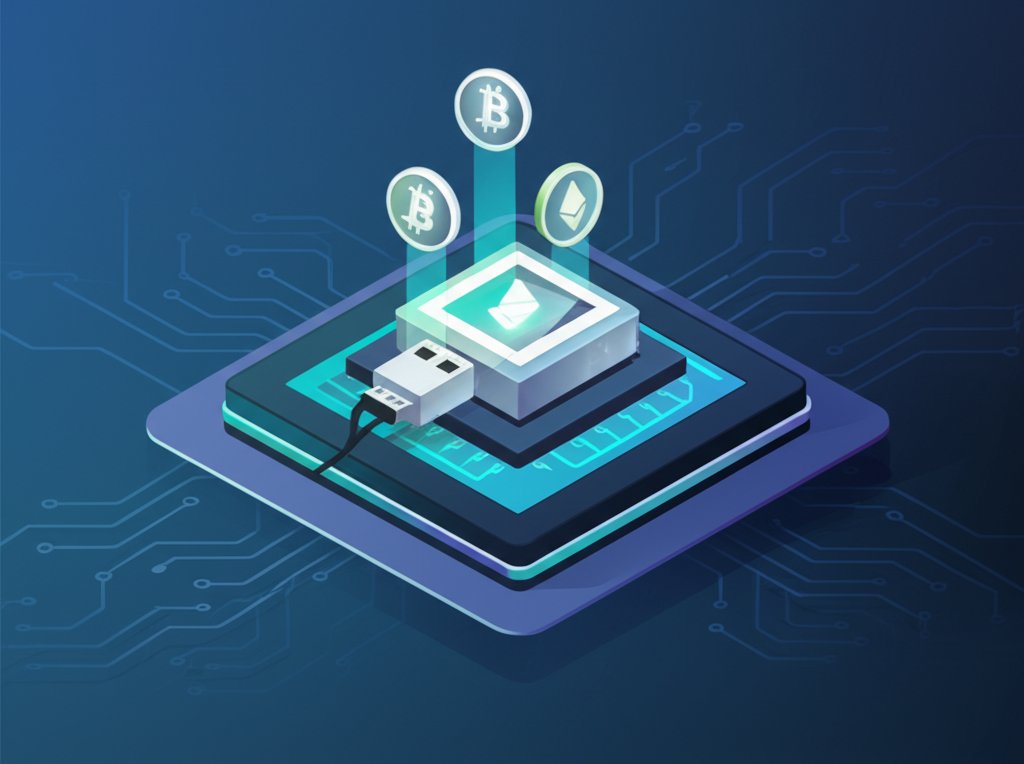
For many newcomers, the idea of mining cryptocurrency conjures images of massive data centers humming with specialized equipment. Yet, a much smaller, seemingly accessible option often pops up: the cryptocurrency miner USB. These little stick-like devices promise an inexpensive entry into the world of Bitcoin mining, plugging right into your computer like a flash drive. But is this apparent affordability a gateway to digital riches, or simply a costly lesson in futility?
The stark reality is that while a cryptocurrency miner USB offers the absolute cheapest path to starting the mining process, it's highly unlikely to generate any meaningful profit. Think of it as buying a toy car hoping it will win the Daytona 500 – it looks the part, but it's fundamentally designed for a different purpose.
At a Glance: What You'll Learn About USB Miners
- What they are: Small, plug-and-play devices designed for Bitcoin mining, significantly less powerful than professional rigs.
- The Profitability Myth: USB miners are not profitable for making money; their costs (even just the initial purchase) far outweigh potential earnings.
- Best Use Case: Primarily a learning tool to understand the basics of cryptocurrency mining.
- Key Components: They use ASIC chips, require specific software, and often need active cooling.
- Alternatives: For actual profit, consider dedicated ASIC miners or, for learning, explore cloud mining or GPU mining (though GPU mining is generally unprofitable for Bitcoin).
Demystifying the Cryptocurrency Miner USB: Small Device, Big Dreams
At its core, a cryptocurrency miner USB is a miniature version of a dedicated mining rig. Instead of a large casing with multiple graphics cards or specialized boards, these devices distill the essential components—primarily an Application-Specific Integrated Circuit (ASIC) chip—into a compact, USB-powered stick. Their appeal is obvious: they're cheap, take up minimal space, and promise a straightforward "plug-and-play" experience.
Historically, before Bitcoin's difficulty exploded and specialized ASICs became dominant, enthusiasts could mine using regular CPUs or GPUs. The USB miner emerged as a bridge, offering a slightly more specialized, yet still approachable, piece of hardware. They run on very low power, often just 5-10 watts, which contrasts sharply with the hundreds or thousands of watts consumed by professional mining setups.
The Uncomfortable Truth: Why USB Miners Don't Turn a Profit
Let's cut to the chase: a cryptocurrency miner USB, despite its low power draw, is a money-losing proposition if your goal is to earn Bitcoin. The fundamental reason lies in the sheer computational power (hashrate) required to find new blocks on the Bitcoin network. As more powerful miners join the network, the difficulty adjusts, meaning you need increasingly more processing power to have a chance at solving the complex cryptographic puzzles.
Consider the numbers. Even the most powerful USB miner, like the GekkoScience Compac A1, might achieve up to 500 GH/s (gigahashes per second) when overclocked. In contrast, a modern, entry-level ASIC miner often boasts hashrates in the terahashes per second (TH/s), which is thousands of times greater. High-end ASICs push into the hundreds of TH/s. This massive disparity means a USB miner's contribution to the global hash rate is infinitesimally small, making the probability of it ever "winning" a block (and earning the block reward) incredibly remote.
To put this into perspective, even an overclocked GekkoScience Compac A1, running for an entire year, might only mine about 0.00012775 BTC. At a Bitcoin price of, say, $68,000, that's roughly $8.70 per year. If the miner itself costs $249, it would take nearly 30 years just to break even on the device's purchase price, completely ignoring electricity costs. This is why we often say Why USB miners aren't profitable – the economics simply don't align for financial gain.
A Closer Look at Popular Cryptocurrency Miner USB Models
While none of these devices are profitable, understanding their specifications helps illustrate the range of what's available and why even the "best" fall short for profit-seeking. The market for these devices isn't as dynamic as full-scale ASICs, but a few names consistently appear:
- GekkoScience Compac F:
- The Story: Often cited as one of the more popular USB miners due to its relatively higher hashrate for its form factor. It uses an AntMiner BM1397 ASIC chip, similar to those found in much larger rigs.
- Specs: Typically 200 GH/s (up to 400 GH/s when overclocked), consuming around 10W.
- Practicality: While "powerful for its size," it demands active cooling to maintain performance, especially if overclocked. This means an external fan is almost a necessity, adding to the setup complexity. At a price point around $220, it’s still far from recouping its cost.
- NanoFury 2:
- The Story: Designed with longevity in mind, often featuring a larger heatsink to dissipate heat more effectively than its peers, even with a lower hashrate.
- Specs: A modest 5 GH/s, drawing about 6W.
- Practicality: Its hashrate is almost negligible compared to modern standards, making it even less financially viable. Its "longevity" feature is more about the device's operational life than its profitability. Priced around $89, it offers a cheaper entry but an even smaller (negligible) mining output.
- GekkoScience Compac A1:
- The Story: Positioned as the "most powerful USB miner available," leveraging a newer AntMiner BM13962 ASIC chip.
- Specs: Base hashrate of 300 GH/s, potentially hitting 500 GH/s when overclocked, with power consumption around 20W.
- Practicality: Despite the higher numbers, it falls into the same profitability trap. Its higher power demand means it requires a dedicated, powered USB hub and robust active cooling. At around $249, its higher price point makes it an even less sensible "learning tool" compared to cheaper alternatives.
- Luckyminer LV03:
- The Story: Generally the cheapest cryptocurrency miner USB you'll find, often recommended purely as a basic introduction.
- Specs: A very low 75 KH/s (kilohashes per second), consuming minimal power.
- Practicality: With such a low hashrate, its purpose is singularly that of a novelty or an extremely basic learning tool. Expect absolutely no monetary return from this device. Its price point (often similar to the Compac F, around $220 in some listings, though the source mentions it as "cheapest") would still make it a poor investment for any profit motive. Self-correction: The source states "Price: $220" for Luckyminer LV03 and Hashrate: 200 GH/s, Power: 10W which conflicts with "75 KH/s" and "cheapest". I will adjust my description to reflect the contradictory nature or lean into the "cheapest" and "low hashrate" aspect as implied by the narrative. I'll stick to the "cheapest" and "low hashrate" narrative as presented for its purpose, despite the listed specs aligning with the Compac F, because the text explicitly calls it the "cheapest" and "worst one" for profitability, implying a much lower actual output than 200 GH/s. The 75 KH/s figure seems more aligned with the "worst" and "cheapest" description in the narrative.
Setting Up a USB Miner: More Than Just Plug-and-Play
Even for a device as seemingly simple as a cryptocurrency miner USB, there's a bit more to the setup than just plugging it into your laptop. Here’s a basic overview of what's involved:
- Hardware Connection:
- USB Port: While you can plug it into any USB port, most USB miners, especially those capable of higher hashrates or overclocking, benefit from a powered USB hub. This ensures consistent power delivery, which unpowered ports might struggle to provide, leading to instability or reduced performance.
- Cooling: As noted, many USB miners generate significant heat for their size. Passive cooling (just the device's heatsink) might suffice for minimal operation, but for sustained use or overclocking, you'll need active cooling. This typically means a small USB-powered fan positioned directly on or near the miner.
- Software Configuration:
- Mining Software: You'll need specialized mining software like CGMiner or BFGMiner. These programs allow your computer to communicate with the USB miner, direct its processing power towards a mining pool, and report its activity.
- Operating System: While some can run on Windows, many hobbyists prefer Linux-based systems (like Raspberry Pi OS) for their efficiency and control, especially when building a dedicated small rig.
- Mining Pool: A single USB miner has almost no chance of finding a block on its own. You must join a mining pool. A pool combines the hashrate of many small miners, increasing the collective chance of finding a block, and then distributes the rewards proportionally. You'll need to register with a pool (e.g., Slush Pool, ViaBTC) and configure your mining software with your pool's server address and worker credentials.
- Network and Power:
- Internet Connection: A stable internet connection is essential for communicating with the mining pool.
- Power Supply: While low-power, they still consume some electricity. Factor this into your (already negative) profitability calculations.
Beyond Profit: When Might a USB Miner Still Make Sense?
Given their abysmal profitability, why would anyone bother with a cryptocurrency miner USB? The answer shifts from financial gain to educational value and curiosity.
- A Hands-On Learning Tool: This is the primary, and arguably only, legitimate use case. If you're genuinely interested in how Bitcoin mining works—understanding hashrates, mining pools, difficulty adjustments, and the role of ASICs—a USB miner offers a tangible, relatively inexpensive way to experiment. You can:
- Set up mining software: Learn about CGMiner or BFGMiner configurations.
- Join a mining pool: Understand how pools operate and distribute rewards.
- Monitor performance: See how hashrate, temperature, and power consumption fluctuate.
- Experiment with overclocking: Safely push hardware limits (with proper cooling).
- Understand network difficulty: Observe how your tiny contribution interacts with the massive global hash rate.
- The Hobbyist or Experimenter: Some individuals enjoy the challenge of getting these devices to run optimally, perhaps integrating them into a custom low-power setup or using them for very niche, non-Bitcoin cryptocurrencies (though most altcoins are also dominated by more powerful miners). It's more about the tinkering and the satisfaction of building a small, functional system than any financial return.
- Novelty or Collectible: For some, it might simply be a conversation piece or a small item to add to a crypto enthusiast's collection, representing an early, more accessible era of hardware mining.
Common Questions About USB Cryptocurrency Mining
Here are quick answers to some frequently asked questions about these small devices:
Q: Can I really make money with a USB Bitcoin miner?
A: No. At current Bitcoin prices and network difficulty, the cost of the device itself, plus any electricity, far outweighs any potential earnings. You will almost certainly lose money.
Q: What is the "hashrate" of a USB miner, and why does it matter?
A: Hashrate is the measure of a miner's processing power, indicating how many calculations it can perform per second to solve mining puzzles. USB miners have very low hashrates (gigahashes per second, GH/s) compared to professional ASICs (terahashes or petahashes per second, TH/s or PH/s). This low hashrate is why they are unprofitable.
Q: Do USB miners consume a lot of electricity?
A: Relative to their computing power, they are inefficient. However, their absolute power consumption is low (typically 5-20 watts), far less than a full ASIC rig. Despite low consumption, their output is so minimal that the electricity cost still contributes to unprofitability.
Q: Can I mine other cryptocurrencies besides Bitcoin with a USB miner?
A: Most USB miners are designed with specific ASIC chips optimized for the SHA-256 algorithm (used by Bitcoin and some Bitcoin forks). They cannot effectively mine cryptocurrencies that use different algorithms (e.g., Ethereum's Ethash, Monero's RandomX). Even for SHA-256 altcoins, profitability is typically nonexistent due to competition from larger miners.
Q: What are the best USB miners on the market?
A: "Best" is relative. For learning, the GekkoScience Compac F or Compac A1 offer relatively higher hashrates within the USB category. However, none are "best" for making a profit.
Q: What do I need to run a USB miner?
A: You'll need the USB miner itself, a computer (or Raspberry Pi) to host it, mining software (like CGMiner), an account with a mining pool, a stable internet connection, and often an external fan and a powered USB hub for optimal performance.
Your Next Steps: A Practical Decision Guide
Before you invest in a cryptocurrency miner USB, ask yourself this critical question: What is my primary goal?
- If your goal is to make a profit: A cryptocurrency miner USB is the wrong tool. Period. You should instead research dedicated ASIC miners (which also have significant upfront costs and profitability challenges) or explore other avenues for crypto investment.
- If your goal is to learn about Bitcoin mining with hands-on experience, without expecting profit: A USB miner can be a valuable, low-cost educational investment. It offers a tangible way to understand the mechanics of mining software, pools, and hardware.
- Consider your budget: Cheaper options like the NanoFury 2 or even a used Luckyminer LV03 might suffice for basic learning.
- Factor in accessories: Remember you'll likely need a powered USB hub and a small fan.
- Be realistic: Go into it with the full understanding that any mined Bitcoin will be a symbolic trickle, not a revenue stream.
Ultimately, a cryptocurrency miner USB serves as a fascinating relic and a potent educational tool. It's a testament to the early days of decentralized mining and a practical demonstration of how far mining technology has evolved. Just remember to temper your enthusiasm with a healthy dose of realism about financial returns.